

Download Earth Primer – Interactive Educational App for Kids
Overview
Earth Primer is a vibrant, kid‑focused educational application that transforms the study of geology, geography, and natural phenomena into an immersive play‑room. Designed for children aged 5‑12, the app lets young explorers create their own volcanoes, shape continents, and simulate weather patterns with a few intuitive taps. Unlike static textbooks, Earth Primer offers real‑time feedback, vivid animations, and a safe sandbox where children can experiment with the forces that shape our planet.
The learning journey is guided by friendly voice‑overs and clear visual cues, ensuring that complex concepts like plate tectonics, erosion, and the water cycle become approachable and fun. Parents and educators appreciate the built‑in progress tracker, which records completed challenges and highlights areas where a child may need a little extra review. The app also includes a “Nature Lab” where users can combine elements to see cause‑and‑effect relationships, reinforcing scientific reasoning without overwhelming text.
By blending play with purposeful curriculum standards, Earth Primer stands out as a secure, ad‑free platform that encourages curiosity while delivering measurable educational value.
Key Features That Make Earth Primer a Must‑Have Learning Tool
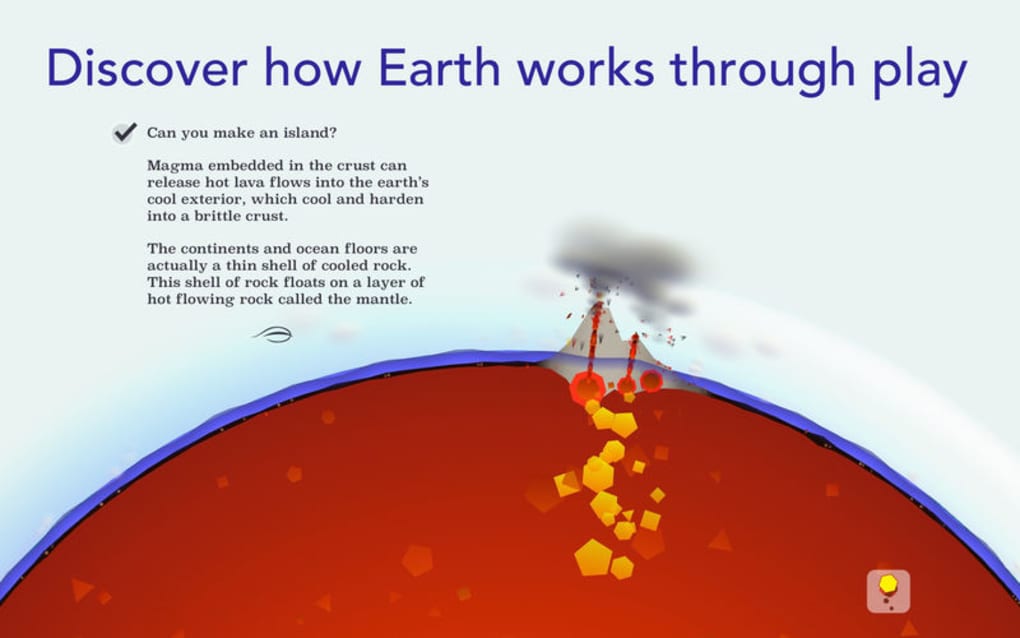
- Volcano Builder: Kids can design, ignite, and observe eruptions, learning about magma, lava flow, and ash dispersion in a safe virtual environment.
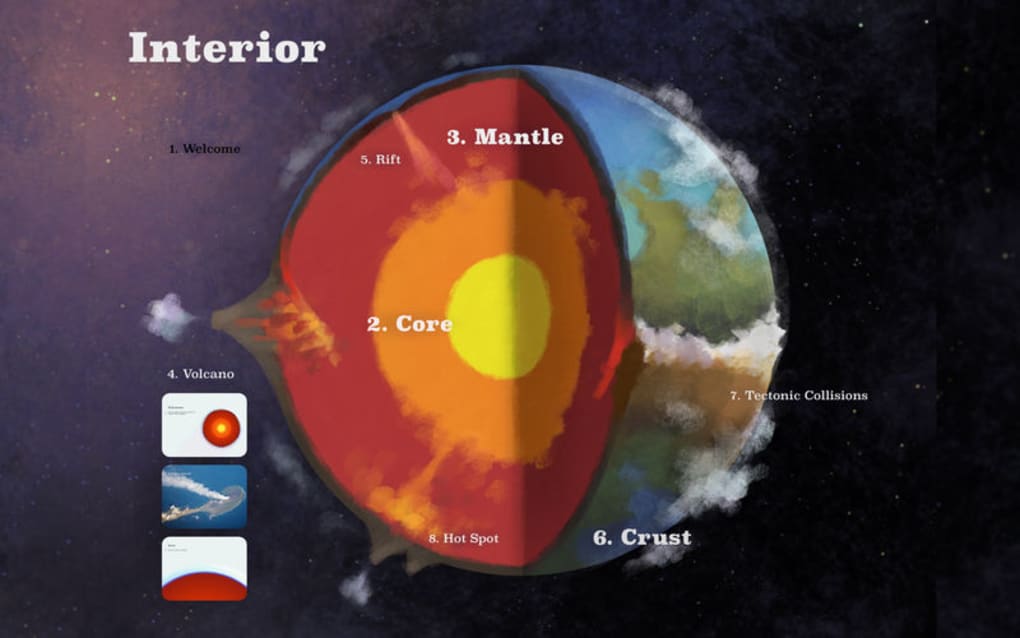
- Continental Drift Simulator: Drag and snap tectonic plates to watch mountains rise, oceans form, and earthquakes occur, illustrating real‑world geological processes.
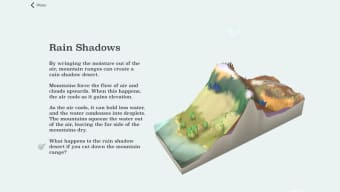
- Weather Control Lab: Adjust humidity, temperature, and wind to see how clouds form, storms develop, and climate zones shift across the globe.
- Interactive Quizzes: Short, gamified quizzes appear after each activity, reinforcing concepts with instant feedback and rewarding badges.
- Progress Dashboard: Parents can monitor learning milestones, view time spent, and receive suggestions for next‑level challenges.
- Curriculum Alignment: Content maps to Common Core and Next Generation Science Standards, making it easy for teachers to integrate into lesson plans.
- Kid‑Safe Design: No ads, no in‑app purchases, and end‑to‑end encryption protect young users and give adults peace of mind.
- Multilingual Support: Available in English, Spanish, and French, expanding its reach to diverse households and classrooms.
Installation, Usage Instructions, and Compatibility
Easy Installation on All Major Platforms
Earth Primer is available for free download from the Apple App Store, Google Play Store, and the Microsoft Store. The installation process follows standard platform guidelines:
- Visit the appropriate store for your device (iOS, Android, or Windows).
- Search for “Earth Primer” and tap the “Get” or “Install” button.
- Allow the app to download and install; the process typically takes less than a minute on a 4G/5G connection.
- Launch the app and grant permission for storage access so that progress data can be saved locally.
First‑Time Setup and Navigation
Upon opening Earth Primer for the first time, a short animated tutorial walks children through the main interface. The home screen displays three primary modules: Volcano Lab, Plate Playground, and Weather Workshop. Tapping a module opens a sandbox view with clear on‑screen icons. Children can drag elements from the toolbar, use pinch‑to‑zoom for detail work, and press the “Play” button to see their creations come to life. A “Help” icon in the corner offers voice‑guided explanations for each tool, ensuring that even non‑readers can follow along.
System Requirements and Operating System Support
Earth Primer runs smoothly on iOS 12.0 or later, Android 8.0 (Oreo) and above, and Windows 10 (version 1809) or newer. Minimum hardware recommendations include a 1.5 GHz processor, 2 GB RAM, and 150 MB of free storage. The app is optimized for tablets and larger smartphones, taking full advantage of high‑resolution displays to render realistic terrain textures and dynamic lighting.
Tips for Getting the Most Out of Earth Primer
To maximize learning, encourage children to complete one activity per day and review the quiz results together. Use the “Family Mode” feature to set a shared device that logs each family member’s progress, fostering friendly competition. Teachers can export class performance reports via the “Export” button in the dashboard, which generates a CSV file compatible with most grade‑book systems. Finally, keep the app updated; new content packs—such as “Deep‑Sea Exploration” and “Mars Geology”—are released quarterly and automatically download when Wi‑Fi is available.
Pros, Cons, Frequently Asked Questions, and Final Verdict
Pros
- Engaging, hands‑on learning that aligns with school curricula.
- Ad‑free, fully secure environment suitable for children.
- Rich visual graphics and smooth animations on all supported devices.
- Comprehensive progress tracking for parents and educators.
- Free to download with optional premium content packs for advanced learners.
Cons
- Requires an internet connection for initial download and content updates.
- Some advanced features (e.g., premium content packs) are behind a paywall.
- Limited to tablets and larger smartphones; very small screens may reduce usability.
Frequently Asked Questions
Is Earth Primer safe for children under 8 years old?
Yes. The app is designed with child safety in mind. It contains no ads, no third‑party tracking, and all data is stored locally unless parents enable cloud backup. The interface uses simple icons and voice guidance, making it ideal for younger users.
Can I use Earth Primer offline after it’s installed?
All core activities (volcanoes, plate tectonics, weather) work offline. However, downloading new content packs, receiving software updates, and syncing progress to the cloud require an internet connection.
What languages are supported?
Earth Primer currently supports English, Spanish, and French. The language can be changed in the Settings menu, and all voice‑overs, captions, and quiz text adapt accordingly.
Is there a classroom license for schools?
Yes. Schools can purchase a bulk license that provides unlimited devices, a teacher dashboard for class‑wide progress monitoring, and the ability to assign specific modules as homework. Contact the support team through the app’s “Help” section for pricing details.
How often is new content added?
The development team releases new thematic packs every three months. Recent additions include “Deep‑Sea Exploration,” “Earth’s Atmosphere,” and a preview of “Mars Geology.” Updates are automatically downloaded when the device is connected to Wi‑Fi.
Conclusion & Call to Action
Earth Primer delivers a compelling blend of fun and education, turning complex Earth‑science topics into interactive adventures that keep kids engaged for hours. Its robust feature set, secure design, and alignment with academic standards make it a valuable addition to any homeschooling toolkit or classroom resource list. Whether you’re a parent looking to spark a lifelong love of science or a teacher seeking a dynamic supplement to the curriculum, Earth Primer provides a reliable, free entry point with optional premium expansions for deeper exploration. Don’t let your child miss out on the chance to build volcanoes, shift continents, and control weather—all from the comfort of a tablet. Download Earth Primer today, start the first lesson, and watch curiosity erupt!
Review Summary: Earth Primer stands out for its engaging interface, educational depth, and child‑first safety. While the premium content packs add cost, the free core experience already offers a rich learning environment.







